Data Deletion Instructions
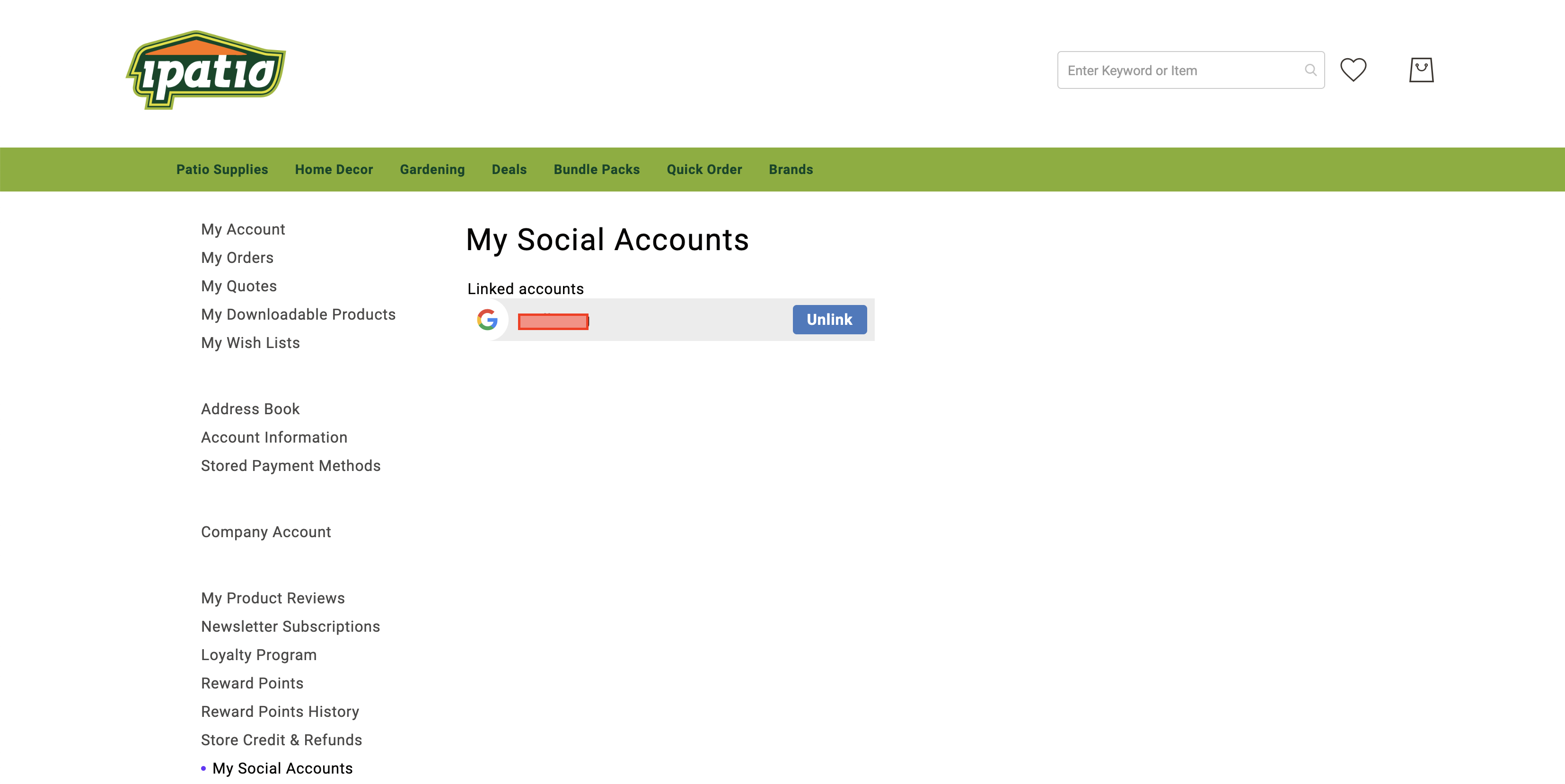
- To delete the data of a linked Google or Facebook account from our website, sign in, open My Social Accounts in your account and select Unlink next to the account.
- To have any other data deleted, email us at support@ipatio.ca.
Login and Registration Form
Sign in before you order so your purchase earns points. Orders placed while signed in earn points once they’re complete. Checking out as a guest? Create your account on the order confirmation page and that order is added to it. Every 100 points takes $1 off a later order. About Club IPATIO
Create your account to earn 100 points right away, plus 100 more if you subscribe to our newsletter. Your account also earns points on purchases once each order is complete, and for product reviews. Every 100 points takes $1 off a later order. About Club IPATIO